Uit Bitbybit Information Systems
WebView User Manual
Timetable Expand selection
Previous
Expand Provider selection
Steps
- Click the 'Expand selection' tab.
- Click the 'Provider' subtab.
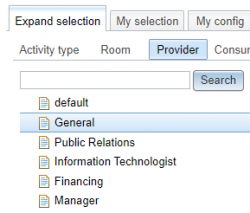
- A list of provider types appears.
- An example of a provider type is 'General'.
- Click a provider type to see its corresponding providers appear on the right.

- In the figure the provider type 'Public Relations' was selected and its corresponding providers ADJ, FKG and DS appear on the right.
- You can also select several provider types at once.
- In the figure the provider types 'Manager' and 'Public Relations' have been selected.

- Tick the boxes of the providers you wish to add to the selection.
- In de figure the providers FKG and DS are ticked.

 Tip: Tick the box at the top left (next to Provider) in order to tick all the providers of the provider type.
- Click the 'Save to basket' button.
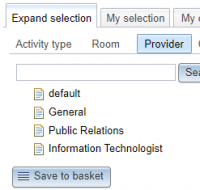
- The system springs to the 'My selection' tab, 'Provider' subtab and the selected providers have been added.
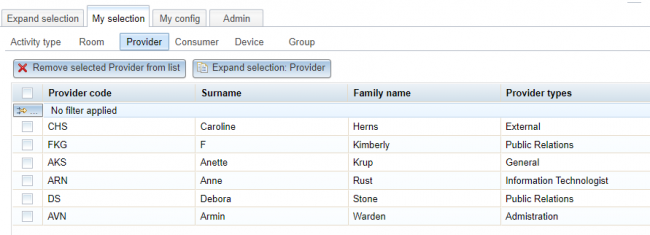
- See also: Provider selection.


Search
- If the list of provider types is very long use the Search button to find providers.
- Enter the text of you are looking for in the Search field.
- Click the Search button
- The providers appear on the right (if found).

- In the figure the search string is Anette and the provider containing this string appears in the table titled 'search results: Anette', on the right.

- Tip: If you click the Search button with an empty search field then you will get all providers (of all provider types)
Create a Provider
- Should you miss a provider you can click the 'Create Provider' button.

- See also: Create Provider. This button is only visible if you have administrator authorisation.
- Tip: Only providers in the 'Resource group' list of the corresponding 'User group' are visible in 'Expand selection'.
- So before attempting to create a new provider first check whether it exists in the Provider resources.

